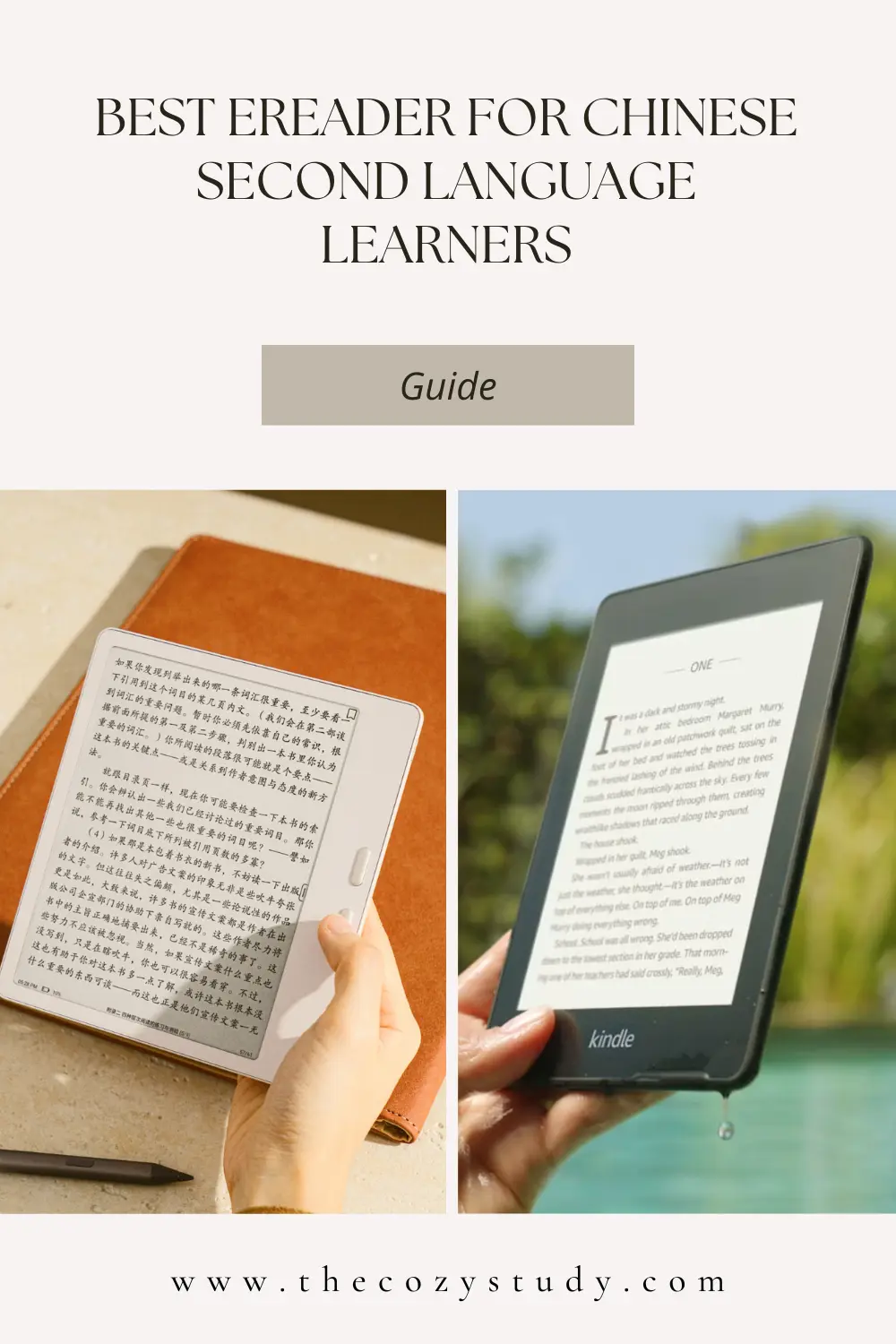
In April 2022, I made the switch from Amazon Kindle to the Boox Leaf, and I haven’t turned back since. Since then, I’ve also upgraded to the Boox Leaf 3C and now the Boox Leaf 5.
This is not a sponsored post, and I have no affiliation with Boox. The devices were purposed for my own personal usage.
The review is based on my perspective as a Chinese learner and a reader of Chinese books and webnovels, so don’t take this as a generalised review of the Boox Leaf 5.
Let me first tell you why I switched from Amazon Kindle. It’s actually not a complex reason — nothing like I dislike the devices or their business models; it’s simply because of Chinese content.
Firstly, Amazon Kindle devices and many other eReaders, such as Kobo devices, are designed for native readers, not for language learners, especially not Chinese language learners. Secondly, Chinese books and webnovels have their own ecosystem, services and stores. Most of their books aren’t available on the Amazon or Kobo store.
Boox is a brand of e-ink devices, including e-readers and monitors, by the Chinese company Onyx International Inc.
In my opinion, Boox devices are one of the best and most accessible for Chinese learners from around the world. They ship to many countries, and in some regions, it’s also available on Amazon. They aren’t a new company, and their devices are popular in the Chinese market, so they won’t be going out of business anytime soon.
My Introduction to Boox devices
Let’s take a journey down memory lane to 2022, when I first discovered Boox. I remember an advert in early 2022 on 微信读书 (a popular Chinese ebook service) for their brand-new e-reader.
At the time, I was also exploring options for reading Chinese books and webnovels on my Kindle. I was experimenting with the e-ink web version of 微信读书, which was decent but lacked many basic features, including font options.
Reading webnovels from 晋江文学城 and 长佩文学城 was only possible by downloading a copy of the webnovel and converting it into a format that is compatible with the Kindle — it’s a real pain.
The advert on 微信读书 led me down a rabbit hole where I discovered a whole world of eReaders by Chinese companies. Most importantly, I found that many of them ran an open Android system (where we can freely install any Android app).
I spent hours on Bilibili watching reviews of different brands and models, then ultimately decided on the Boox Leaf. This is mainly because a member of the 看剧学汉语 Discord server (a community of Chinese language learners) had an older Boox ereader and confirmed that Readibu ran on it.
Taking the step to buy the Boox Leaf was a huge leap of faith because at the time, I had no idea how useful it would be as a Chinese learner. I couldn’t find information on my use case, so it may be a waste of money.
Many years down the line, I’m so glad that I made that leap, and I’m now a huge fan of the Boox devices.
Why I ended up with three devices
The simple, short answer is: I love eReaders and went a bit crazy upgrading. I like shiny new things!
The long answer is due to the spec and hardware capabilities. I upgraded from the Boox Leaf to the Boox Leaf 3C because I wanted colour and buttons. I then upgraded to the Boox Leaf 5 because I got bored with the dulled coloured screen and missed the sharper screen of the black-and-white models. I’m also not a fan of the buttons on the Boox Leaf 3C.
The Boox Leaf 5 is my favourite by a million miles; I love everything about it, so I don’t see myself upgrading for many, many years.
What makes the Boox Leaf 5 shine
1. The ergonomics of the Boox Leaf 5
The Boox Leaf 5 and other 5-series devices have a rectangular bump on the back that serves as a grip.
Before I got my hands on the Boox Leaf 5, I was worried I wouldn’t like the bump and would prefer a flush back, but after using the Leaf 5 for a while, I love the bump.
The extra thickness makes it so much easier and more comfortable to hold. The bump helps provide extra grip.
It’s a real shame that the Boox Go 7 series (a similar series to the Leaf 5 for the international market) has a flush back, since I feel many people would really like the extra grip the bump provides.
2. The page-turn buttons on the Boox Leaf 5
The Boox Leaf 3 had page-turn buttons, but I didn’t like their size or placement.
I absolutely love the larger round buttons on the Leaf 5 series. The bottom button is also a little lower than on the Leaf 3, which works perfectly for my small hands.
3. The colour options available for the Boox Leaf 5 series
I have the Boox Leaf 5 in the cream/gold (活力金) colour, and I love it! The colour options available for Leaf 5/Leaf5C and Leaf 5+ are so pretty, so I hope they continue to offer nice colour options in the future, and that they bring these colour options to the international market.
The Boox firmware is a great system
The Boox firmware offers many great features and customisation options.
I can go on about all the amazing features, but this post will be super long, so I’ve picked my favourites.
1. Open Android System
The number one reason why the Boox Leaf 5, or any Boox device, is so great is its open Android system. I’m not tied to any ecosystem, and I can freely read books and webnovels from any service. I just need to install the app!
In addition to services that offer books, apps for learners, such as Pleco, can also be used. I don’t use the Pleco document reader add-on on my Boox eReaders, but I know many other learners who do and love it.
I love the freedom that an open Android system offers.
2. Chinese word recognition
Boox Leaf 5 and similar devices are eReaders at their core, so they ship with a built-in reader. And my all-time favourite feature of the reader is word recognition.
Let me explain what this means.
In the built-in reader, I can long-press a word to open the pop-up dictionary. I simply press on any character, and it recognises the whole word. For example, I press on the 体 of 成何体统, and it’ll recognise 成何体统 as a whole word and look that up in the dictionary.
This may not sound all that amazing, but believe me, it is not possible on any Amazon Kindle or Kobo device. They only allow looking up one character at a time.
3. Custom dictionaries
Another great feature I love about the Boox Leaf 5 and similar devices is how easy it is to install custom dictionaries. It’s simply a drag-and-drop process; it takes 2 seconds!
I’ve even managed to convert the CC-CEDICT Chinese-to-English dictionary into a format that works perfectly on the small screens of eReaders like the Boox devices.
Before I learned how to convert it, it was a real pain looking for an up-to-date version of CC-CEDICT. But now that I can create my own, I never have to dig around the internet for a new version of the dictionary.
4. Treating .txt file like an .epub file
I love that Boox devices have special support for .txt files that are formatted in a particular way.
So, let me explain.
Most eReaders treat .txt files as a single block of text, without any segmentation.
Boox devices, on the other hand, will segment them into chapters if the chapter label begins with 第1章, 第2章, 第3章 etc. It will create a table of contents that lets me easily navigate between chapters, with chapter-level progress tracking! It also formats paragraphs with line spacing and indents — exactly like reading a normal book.
As a reader of Chinese books and webnovels, this is a game-changing feature because Chinese books and webnovels downloaded from the web are almost always in .txt format, with chapter labels as 第1章, 第2章, 第3章 etc.
This saves me from having to take the extra step of converting .txt files to .epub format to get chapter segmentation and nice paragraph formatting.
5. BOOXDrop is the best feature
Boox devices support multiple file transfer methods, including Google Drive and Dropbox. My personal favourite is BOOXDrop.
BOOXDrop lets me transfer and manage all the files on my Boox device over WiFi, without a cable or third-party service!
BOOXDrop provides an IP address for accessing the device’s file management system, which any other device (phone, PC, laptop) on the same network can connect to via its browser.
It takes 2 seconds to transfer books, screensavers, dictionaries and more!
6. Bluetooth page turner
Boox devices have allowed Bluetooth page turners for a long time!
I honestly didn’t realise what I was missing with my Kindle until I bought a customisable mini three-key keyboard to use as a page turner with my Boox Leaf.
I can sit back in my chair or lie down on my bed, with my page-turner whizzing through chapter after chapter!
7. No adverts or upsells
Unlike some other eReaders that are tied to a specific ecosystem, Boox eReaders are not tied to any, so there are no ads or upsells to tempt me to buy books.
The homepage is the list of books I own. I have also customised the main navigation and removed the link to the built-in store. Bear in mind that the built-in store for international editions is a list of free books, as they haven’t partnered with any international digital book stores.
8. Customisable book covers and titles
All Boox devices offer the option to customise the title and book covers (i.e., use your own image) directly from the device.
This lets me add images to .txt files or hide covers that I don’t want people to see — you know what I mean.
It’s a small thing, but it’s pretty to look at a homepage with nice images, especially on a coloured device.
9. Reading statistics
All Boox devices offer basic reading statistics when using their built-in reader; they collect the amount of time you’ve spent reading each day and display it in by-week and by-month graphs.
There’s not much data or super fancy, but I enjoy looking at it. It also helps me keep on top of reading each day!
10. Style configuration presets
Firmware 4.0 introduced reading-style presets for its built-in reader.
As someone who reads both Chinese and English books, I find it super helpful to set up my own presets for each language and document type.
The Amazon Kindle Paperwhite has a single global configuration, and any changes apply to every book. It’s very annoying when I need different configurations for each language.
Not everything is singing and dancing
There are negatives to the Boox Leaf 5 and Boox devices overall, so it’s not all positive.
1. Not popular in the international market
Boox devices as a whole are not very popular among readers in the international market, so accessories like cases are limited or even impossible to find.
The Chinese Boox Leaf 3/3C has the same form factor as the international Boox Go 7 series, so cases are interchangeable between them, and many AliExpress sellers offer both versions of their cases.
However, the form factor of the Boox Leaf 5 is unique to the Chinese market and finding cases on AliExpress is difficult. It requires asking stores whether they stock the Leaf 5 version of their cases and whether they’re willing to sell and ship it.
2. There’s an initial setup and learning curve
A device without a dedicated bookstore and so many customisation options has its downsides. Getting books onto the device will require sourcing them and transferring them. And getting your head around all the customisation and settings takes time.
Out of the box, some apps don’t run very well and require tinkering with the optimisation configurations.
I remember feeling very overwhelmed when I first started using the Boox Leaf, and it took me a while to understand all the options and find a workflow that worked for me.
3. Lower battery life
Compared to my Amazon Kindle Paperwhite, which can last up to 12 weeks, the Boox Leaf 5’s battery life is abysmal! With regular use (around 1-2 hours of reading a day), I need to charge it every 4-5 days.
Although I’ve listed this as a negative, it’s not necessarily Boox’s or the hardware’s fault. It’s simply because of Android. Android is much heavier and requires more processing power than the proprietary firmware used by Kindles.
Turning off Wi-Fi, Bluetooth, and the front light (during the day), and making sure no unnecessary apps are running in the background, helps extend battery life a little.
4. It turns off
This point sounds a little stupid. Of course, a device turns off; why is this point even here?
Well, the Amazon Kindle Paperwhite doesn’t turn off (unless you tell it to). It goes into sleep mode, which does not drain the battery, and waking it back up takes 1-2 seconds.
Due to the Android operating system, Boox devices need to be turned off to preserve battery life; otherwise, they require frequent charging.
In the Boox power settings, there’s an option to set how long the device should remain idle before shutting down. I have mine set to 30 minutes. I’ve tried 24 hours before, but it really drains the battery.
Turning it back on requires holding the power button for 3 seconds and waiting 30 seconds — yes, I timed it
Essentially, every time I want to read, I have to wait 33 seconds before I can start. It sounds small, but it was a huge change from the Amazon Kindle Paperwhite.
5. The price tag
All my Boox devices were purchased in China, where they’re significantly cheaper than international prices. In the international market, prices are pretty high.
Devices that run Android require more powerful hardware and regular updates, so their prices are higher across the board than those of non-Android devices.
The cheapest Boox model, the Go 6, is around $199 from the US store and €199 from the EU store. It’s priced higher than the ad-free version of the Amazon Kindle.
6. Longevity of the devices
Boox’s official statement is that they will provide at least 3 years of updates to each of their devices, but that’s only for their firmware, not Android. The devices are shipped with an older version of Android, so they’re already behind out of the box. Boox has no plans to update the Android version on any of its devices.
This then means, from a software standpoint, these devices won’t last that long.
I feel there are two sides to this. All core functionality, such as the built-in reader and dictionaries, will remain forever. And I can keep reading my sideloaded content for as long as the device still works.
Then the other side is the apps. They are Android apps that will eventually stop updating on the device’s current Android version. Some services will completely disable certain features unless the app is updated to the latest version.
As with any phone or tablet, there is an end date for full functionality, and consumers need to upgrade periodically. However, eReaders aren’t devices you’ll need to update regularly; they’re pretty expensive.
As much as I love the open Android system, a part of me feels a little on edge about eventually being forced to buy a new device.